Setup reCAPTCHA
Google reCAPTCHA (Invisible v2) can prevent bots from entering your giveaway forms without adding friction for real users.
1) Create your reCAPTCHA keys in Google
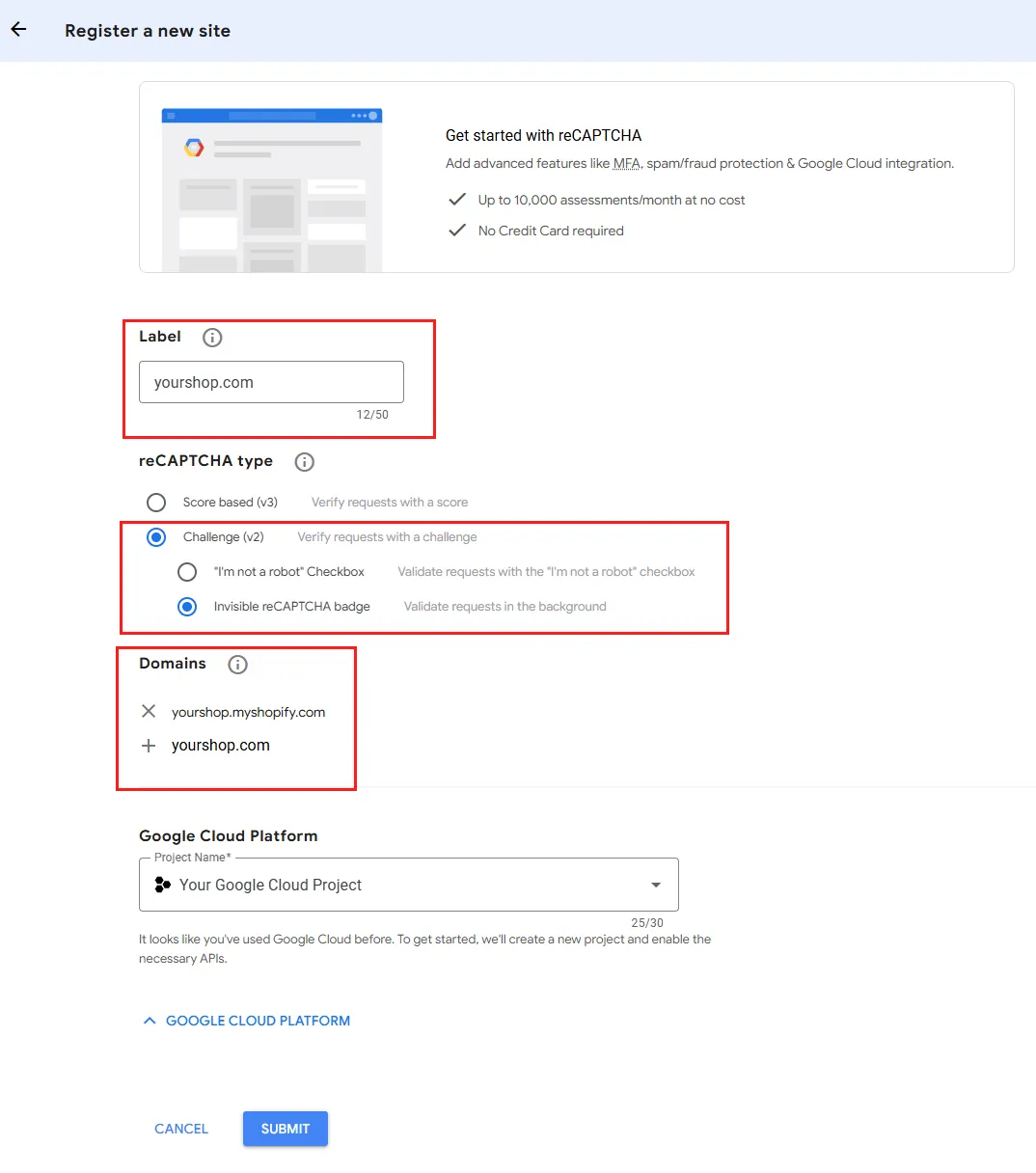
- Open the reCAPTCHA Admin / Google Cloud reCAPTCHA console and create a new key.
- Type: choose reCAPTCHA v2 → Invisible reCAPTCHA badge (this is the one supported by the "Enable Invisible reCaptcha" toggle you see in Giveaway Ninja).
- Domains: add every domain where your giveaway/entry form can appear (e.g.,
yourstore.myshopify.comand your custom storefront domain). If you are using our Direct URL feature, also addgiveaway.ninjain the list. - Save to get your Site key and Secret key.
2) Paste keys into Giveaway Ninja
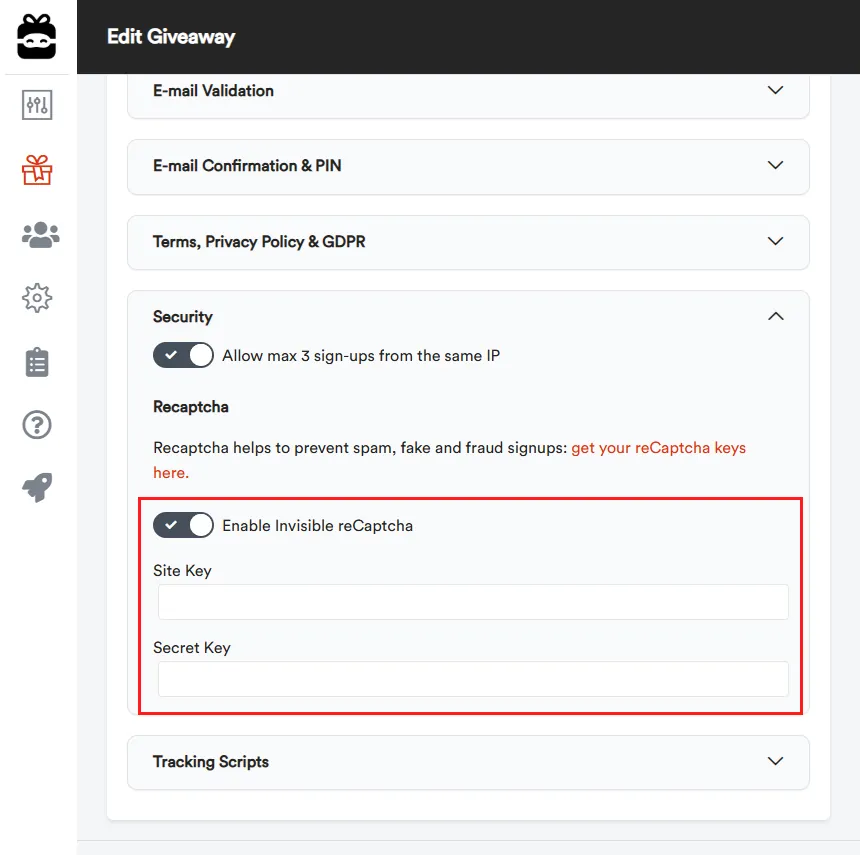
- In your Giveaway Ninja dashboard, open Edit Giveaway → Security → reCaptcha.
- Toggle Enable Invisible reCaptcha ON.
- Paste your Site key and Secret key into the matching fields.
- Save.
That's all—Giveaway Ninja will call Google behind the scenes; legitimate users usually won't see any puzzle, while suspicious traffic may be challenged.
PLEASE NOTE: Test it live before publishing the giveaway; if you can't enter there is a problem with the keys. In that case, check your browser's console log to see the exact error.
Google Cloud Pricing
The reCAPTCHA service is provided and charged by Google.
Google now offers reCAPTCHA as Google Cloud tiers. For most stores, Essentials will be enough (and free):
- Essentials: Free up to 10,000 assessments/month (per Google Cloud project).
- Standard: $8 flat once you pass 10,000; covers up to 100,000 assessments/month.
- Enterprise: over 100,000, $0.001 per assessment (i.e., $1 per 1,000) beyond 100k.
Billing combines usage of multiple keys in the same project. (Google Cloud)
Quick troubleshooting
- "Invalid domain for site key" → the current page's domain isn't on your key's allow-list. Add it and save. (Google Cloud)
- "Invalid key type" → you created a v3 key but enabled Invisible v2 (or vice-versa). Recreate with the correct type. (Google for Developers)
- Using older keys → migrate the key to Google Cloud (no code change) to align with the new tiers. (Google Cloud)