How do I track giveaway sign-ups with a conversion script?
Quick answer
Edit your Giveaway Ninja campaign, open the GIVEAWAY tab, scroll down and expand Tracking Scripts. Paste your code, wrapped in script tags, into Conversion Scripts to run it right after someone signs up, for example a Meta Pixel or GA4 sign-up event. The Meta Pixel or Google Analytics tag must already be on the page.
Giveaway Ninja can run custom JavaScript right after sign-up. Use it to track conversions on Facebook, Google or other marketing tools.
If you want to track events on Facebook or Google Analytics, make sure the Meta Pixel and Google Analytics tags are installed on the page.
Where do I add the conversion script?
Edit your campaign, click the GIVEAWAY tab, scroll to the bottom and expand the Tracking Scripts section. Paste your code into Conversion Scripts (fired after sign-up).
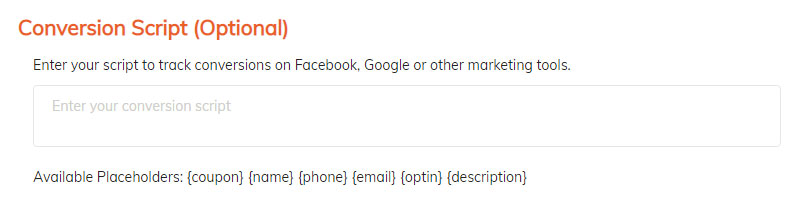
Make sure your script starts with the <script> tag and ends with the </script> tag.
Giveaway Ninja runs it once per browser for each giveaway, the first time the visitor signs up, so a page refresh doesn't count the same conversion twice.
Example 1: track sign-ups in Google Analytics 4
<script>
gtag('event', 'sign_up', {method: 'Giveaway', event_label: 'Giveaway Sign-up'});
</script>
Example 2: track an event on Facebook
<script>
fbq("track", "CompleteRegistration", {content_name: "giveaway-signup"});
</script>
For the On Load Script and more examples, see how to add Facebook Pixel and Google Analytics to your giveaway.
People also ask
When does the conversion script fire?
Right after a visitor signs up for the giveaway. For a script that runs when the giveaway appears, use the On Load Script. See how to add Facebook Pixel and Google Analytics to your giveaway.
Can the conversion script track revenue?
No. It fires on sign-up, not on purchase. Revenue comes from Shopify orders, which Giveaway Ninja attributes to your giveaway automatically. See how Giveaway Ninja tracks sales from a giveaway.
Why isn't my conversion script running?
Check it starts with <script> and ends with </script>, and that the Pixel or Analytics tag loads on the page. See why your giveaway isn't showing up for script conflicts.
Still stuck?
Our support team is available 24/7 and always replies. Send us a message and we'll help you sort it out.