
How to Turn Giveaways Into Sales: 7 Approaches for Shopify Stores
Giveaways started as a way to grow Instagram and other social followings and engagement. Most Shopify brands run giveaways to grow their email list today. They can drive sales too, once buying…
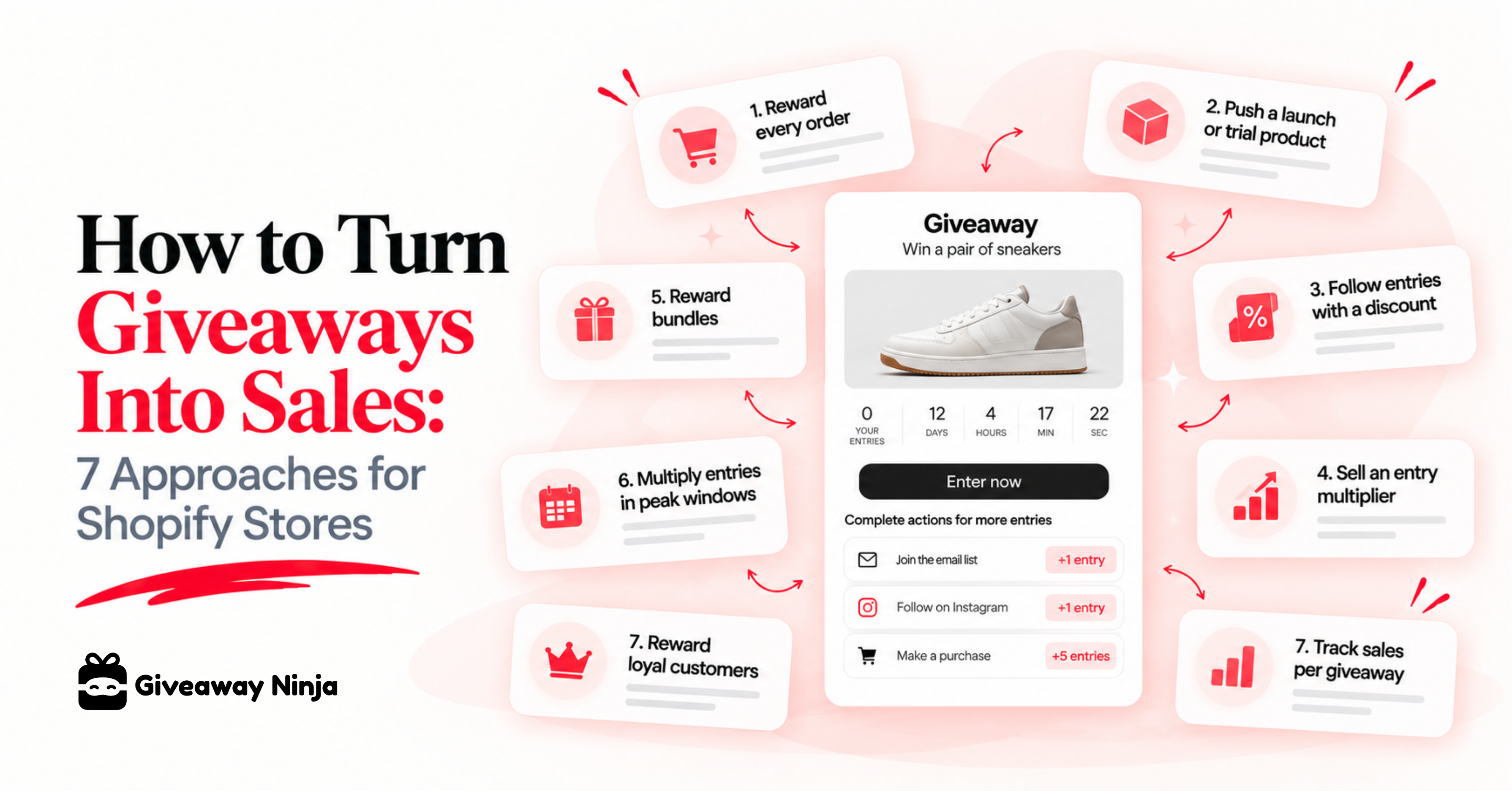
Giveaways started as a way to grow Instagram and other social followings and engagement. Most Shopify brands run giveaways to grow their email list today. They can drive sales too, once buying becomes one of the ways to earn entries.
Below are seven approaches Shopify stores use to turn giveaway attention into orders, higher AOV and product trials. Each one comes with a real campaign and the Giveaway Ninja feature that runs it.
Why most giveaways stop at the email signup
A giveaway produces whatever its entry actions ask for. Follow, like, tag and join the list all build reach, but none of them asks anyone to shop. When the actions point at your store, the giveaway starts paying for itself while it runs.
That's the difference between a social giveaway and one built into the store. Our Instagram giveaway guide covers how to stack store actions on top of social ones, and why some giveaways attract entrants who never buy comes down to the same thing.
One rule sits under every approach below: purchase can't be the only way to enter. Keep a free entry path open, and let purchases add entries on top. The no-purchase-necessary rules in plain English explain what that means for your official rules.
1. Reward every order with giveaway entries
Purchase entries turn each order into more chances to win. Shoppers who were already planning to buy get a reason to buy now, and browsers get a reason to finish checkout. You can award a fixed number per order, such as 10 entries, or scale it with spend, such as 5 entries per $10.
Let any customer who buys during the giveaway join it automatically and earn entries for that order, even if they never opened the form. The full rule set is in how purchase-based giveaway entries work.
Then show the count where people decide to buy. Add entry badges to Shopify product pages and collection grids. Add a giveaway entry counter in the cart and earned entries on the thank-you page.
Cerberus Collective runs this model at full scale. Giveaways became Cerberus Collective's business model, and its director credits offers, multipliers and bundles for a strong stretch of growth.
2. Put bonus entries on the product you're launching
Product entries give extra entries for specific products or variants. Use them on a launch, a trial product or anything you need to move. The product with the biggest bonus becomes the shortcut to better odds, so shoppers reach for it first.
Bathorium, a luxury bath soak brand, ran a $15,000 St. Lucia sweepstakes ahead of Black Friday. Anyone could enter free, and the Crush 8-Pack Discovery Set carried a five-entry bonus. Launch week paired that bonus with 30% off the set, so new customers got a discount and five entries in the same order.
The campaign combined list growth with a product push. It passed 8,000 participants and added about 6,000 subscribers in its first three weeks. Read how Bathorium tied bonus entries to its Discovery Set.
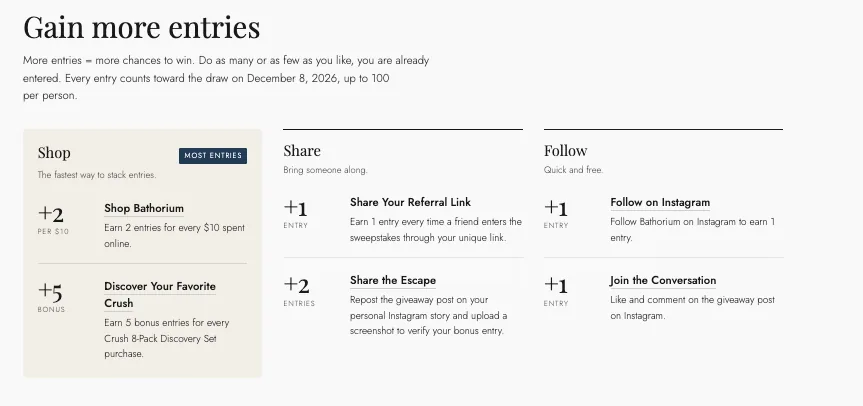
Two settings make product entries sharper. A bonus threshold adds extra entries once a shopper's spend on that product passes an amount you set, and each product rule can run on its own dates. The FAQ walks through setting up a product launch giveaway with bonus entries.
3. Follow every entry with a discount code
A new entrant is the warmest lead you'll get all week. Send a discount code right after they join and give them a reason to buy before the excitement fades. Because that order also earns entries, the discount and the giveaway push in the same direction.
The easiest setup runs through your email platform. Connect Giveaway Ninja to Klaviyo so new entrants land in a welcome flow that delivers the code. Giveaway Ninja matches the order back to the entrant by email, or by a participant's unique coupon code.
After the purchase, email customers when they earn giveaway entries so they see their new total. That second touch tells them the next order counts too.
4. Sell an entry multiplier at checkout with an AOV Booster
The AOV Booster multiplies an order's entries when a trigger product is in the cart. The trigger can be a premium product, a gift set or a low-cost digital item built to be the booster. Boosters stack, so two booster products in one order add their multipliers together.
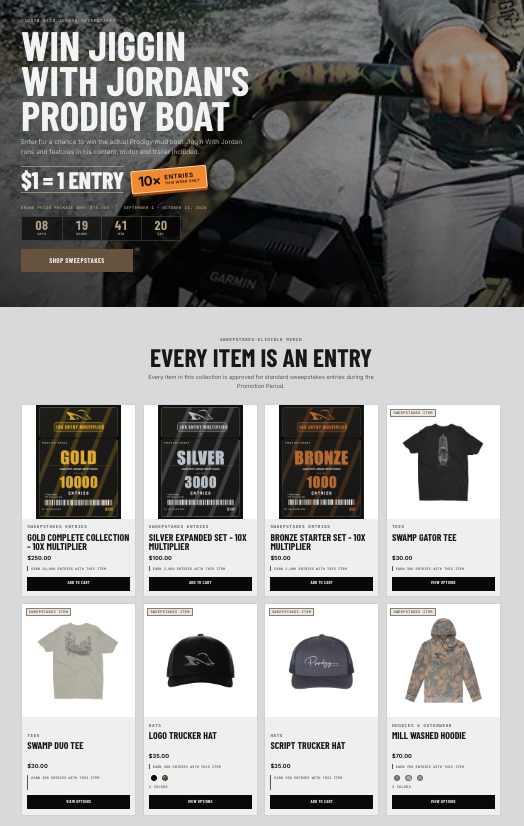
Prodigy Boats used this for its Jiggin With Jordan sweepstakes, where the grand prize is a boat valued at $75,000. Next to its regular merch, the store sells Bronze, Silver and Gold digital collections at $50, $100 and $250, each one boosting the order's entries. Nothing ships for the digital items, and the offer sits on the sweepstakes page beside tees, hats and hoodies.
Set "Exclude from order total" on a low-cost booster item so it multiplies entries without earning base entries itself. The AOV Booster is on the Premium and Ultimate plans, and how the AOV Booster works covers the setup. For another angle, see how Rogue Meat Company raised AOV with one giveaway.
5. Reward bundles with extra entries
Bundle entries reward specific product combinations, such as two hoodies and a tee for 100 entries. They push shoppers toward a bigger basket without a deeper discount. You can run up to 10 bundle rules per giveaway.
If you sell bundles through a bundle app, map the same combinations in Giveaway Ninja so the entries match. Turn on "Exclude from order total" to give the bundle bonus instead of per-dollar entries on those products. Setup is in the bundle entry rules guide.
6. Multiply entries during your peak sales windows
Date-range boosters multiply every order's entries inside a window you choose. A double-entry weekend or a 3x Black Friday window pulls buying into the days that matter most. When two windows overlap, the higher multiplier applies.
Bathorium plans a double-entry push around Black Friday weekend to drive the final stretch of its sweepstakes. For more timing ideas, read Black Friday giveaway ideas for 2026 and the free BFCM Giveaway Playbook. The settings are under purchase period multipliers.
7. Give loyal customers more chances to win
Your best customers are the easiest sales in any giveaway. VIP Bonus Entries reward them the moment they join, based on Shopify customer tags you already use, such as VIP or a loyalty app's tier. The bonus lands automatically, with nothing for the customer to click.
Our newest launch, VIP Booster Entries reward them on every order after that. A tagged customer's order entries can be multiplied, from 2x up to 100x, or topped up with a fixed number per order. Read how to give Shopify VIP customers bonus giveaway entries and how VIP Booster Entries work.
Track which giveaway drove each sale
Giveaway Ninja attributes every Shopify order to one giveaway, so you can see which campaign earned the sale. It matches the order to an entrant by email or by their unique coupon code. With Auto Sign-up on, buyers who never entered are added to the most recent active giveaway and credited for the order.
Every order lands in an order log with its full breakdown: base entries, product and bundle rules, multipliers and the final total. Turn on the cancellation and refund webhooks, and entries from cancelled or refunded orders roll back automatically. That keeps your entry counts tied to revenue the store kept.
For wider reporting, send each order's entries to Klaviyo as an event and add the Facebook Pixel and Google Analytics to your giveaway. The details are in how Giveaway Ninja tracks sales from a giveaway.
Tools that enable this
Giveaway Ninja runs all seven approaches natively on Shopify, from one giveaway. Here's the feature behind each one and where to set it up.
- Reward every order: order entries plus Auto Sign-up. See purchase entry rules.
- Push a launch or trial product: product and variant entries. See product entry rules.
- Follow entries with a discount: the Klaviyo integration plus coupon matching. See Klaviyo setup.
- Sell an entry multiplier: the AOV Booster, on Premium and Ultimate. See the AOV Booster.
- Reward bundles: bundle entries. See bundle entry rules.
- Multiply entries in peak windows: date-range boosters. See period multipliers.
- Reward loyal customers: VIP Bonus Entries and VIP Booster Entries. See VIP bonus entries.
- Track sales per giveaway: sales attribution and order logs. See sales attribution.
The free entry path runs alongside these through email signup, refer-a-friend, social actions and custom entry actions. Compare plans on the pricing page, or see every feature on the product page.
Frequently asked questions
Can a Shopify giveaway require a purchase to enter?
No. Purchase-only giveaways are restricted in the US and many other countries, so a free way to enter must always exist. Purchases can add entries on top of that free path, as covered in whether it's legal to reward purchases with giveaway entries.
What's the difference between purchase entries and an AOV Booster?
Purchase entries reward the order itself, either per order or per amount spent. An AOV Booster multiplies the order's total entries when a trigger product is in the cart. Use purchase entries as the base, then add a booster to lift basket size.
Do giveaway entries work alongside discounts?
Yes. Orders placed with a discount code still earn entries, and Giveaway Ninja can match those orders to entrants by their coupon. Bathorium paired 30% off its Discovery Set with five bonus entries during launch week.
Does this only work on Shopify?
The full commerce feature set runs on Shopify. Purchase entries also work on Wix, and other sites can collect entries through email, social actions and referrals. See the platforms Giveaway Ninja supports.
How do I know if my giveaway made money?
Giveaway Ninja attributes each order to one giveaway and logs its entry breakdown, so every sale traces back to a campaign. The FAQ explains how to tell which giveaways drove sales.
Start turning entries into orders
Pick one approach for your next giveaway, then add a second once the first is live. Purchase entries plus a bonus on one product is the quickest place to start.
Install Giveaway Ninja on Shopify to launch your first purchase-powered giveaway, or book a demo to plan the campaign with us. New to giveaways? Start with how to set up a giveaway on Shopify.